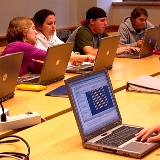
Why BYOD is BAD


Arguments against BYOD
In a budget-conscious world where education is being hit hard by deep cuts and an ever-increasing societal push towards individual responsibility for even the most basic necessities of life, BYOD can appear very appealing to those who wish to make education funding a political agenda item. But a move towards even a limited BYOD policy, which allows some students to bring their own devices to school, has serious repercussions. Amongst all the objections, two stand out above the rest: 

Social stratification among students – One of the primary functions of schooling is to socialize students and there is immense pressure on them to conform to the dominant culture (Shanahan, 10 May, 2012). In schools with an economically diverse student population differences in personal wealth are going to be strikingly evident based on the type of device that each student is able to bring. Beyond that, the example from the cfiello video above presents a model in which individual students may be stigmatized by their inability to bring their own devices. Imagine an affluent school which draws a small portion of its students from a disadvantaged neighborhood. There is the potential for one or two students to be singled out by this policy on a daily basis.
Widening the digital divide between rich and poor schools – The other fundamental flaw in the idea of BYOD is evident at the school level. This problem stems from the economic issue of funding such a policy in schools that are situated in economically disadvantaged areas. In an area in which few or none of the students can afford to BYOD, the school is still reliant on state or federal funding to provide classroom technology (I don’t buy the “all students have smart phones” argument, having spent a good deal of time in the homes of students who don’t have enough food, clothing, or a mode of transportation, let alone an unlimited data plan). If BYOD becomes commonplace, it is easy to imagine a political push to mandate such a policy for all schools and further reduce technology funding to the schools that desperately need the support on the basis of the argument that “they bring their own devices, so we don’t have to fund them.” Ultimately a policy like this will create a broader digital divide as those with no home access will also be deprived of in school computer, Internet, and technology access. Digitally separate is not equal.


How to connect with your kids online (without shaming them)

(Text in English is available beneath the picture).

Γονείς και παιδιά: Συνδεδεμένοι αλλά χωρίς προβλήματα!
Συχνά γονείς και παιδιά διατηρούν λογαριασμούς στα ίδια κοινωνικά δίκτυα, κάτι που δεν ήταν και πολύ ευχάριστο όπως αποδείχτηκε. Τι πρέπει να γνωρίζουν οι γονείς για να μην…ντροπιάζουν τα παιδιά τους; Δείτε το πλήρες άρθρο στο Μάθηση 2.0 


(CNN) — It’s one of the pivotal scenes in “The Social Network,” a eureka moment that implied a parting of the clouds, a spotlight-like beam of sun and a soft chord of angel voices: “Eduardo, I’m not talking about a dating site,” says a chiseled version of Mark Zuckerberg. “I’m talking about taking the entire social experience of college and putting it online.”
It sounded like such a lofty goal. But it was tiny compared to the network’s current statement of purpose: Now, Facebook purports to “connect people with friends and others who work, study and live around them.”
See how that purview yawned open like a chasm? By shifting their target from a small group of students to the entire human race, Zuck and his merry band of nouveau riche introduced the problem of intergenerational social networking.

Snob alert: We remember when Facebook was not only exclusive to colleges, but to elite colleges. That means we’re especially nostalgic for the days when FB was a homogeneous morass of dorm-dwelling smart young adults, when you didn’t have to worry about your 8-year-old cousin (who knows of no world without Facebook) or your 53-year-old aunt (who friends her whole contact list with abandon) seeing the NSFW music video your friend just posted on your wall.
And beyond Facebook, there’s Twitter-following, blog-reading, and Instagram-following — which obviously cross age brackets and generational lines, granting middle-age and older adults unprecedented access into the web-addled minds of young Americans.
We aim these tenets at you, clueless but well-intentioned parents of teens and young adults: You don’t want to see too much, your kids don’t want you to know too much, but somewhere in the middle, there’s a pleasant way for everyone to stay in touch.
Public outlets are fair game.
Sounds obvious, but: If your child has a public Twitter feed, blog, Flickr account, and so on, he or she has no grounds to whine if you do some browsing. Privacy settings abound, and it often seems that the under-20 set in particular could use a reminder that if you make something public, surprise! Everyone can see it!
If your teen’s still under your roof, of course, incriminating things she says or shows are fair game for discussion. Really, you’re doing her a favor — eventually, she’ll be looking for a job, and those underage-drinking snaps won’t exactly help her cause.
But at the same time …
Follow, don’t stalk.
Don’t just lurk about, reading your child’s tweets via a saved search for his username — make yourself an account and follow him (and anyone else you’re interested in following). Social networks are meant to be platforms for discussion, not one-way outlets for a single specimen’s 140-character life updates.
Saving pictures he shares and making one your desktop (or e-mailing it around to the grandparents) is a bit odd, too, if you haven’t already had a discussion. May we suggest: “I love those photos you posted from your weekend in Milwaukee! I’m going to show Nana the one of you two in front of that funky-looking art museum.” Discovering after-the-fact that your Instagrams are making the family rounds feels, again, creepy, even if you know it’s done with love.
Friend carefully.
For what it’s worth, about two-thirds of teens are fine with being friends with their parents on Facebook, according to a survey by Kaplan test prep. I feel like if I were an angsty 15-year-old with my own laptop and a semi-private sounding board, I’d probably use Facebook to loudly roll my eyes about my parents (who are actually rad, let the record show, though what 15-year-old realizes that?), and ergo would have denied their FB friend requests.
We say: Talk it out. Avoid the awkward feeling around the dinner table while an elephant in the corner whines that Dad tried to be my friend without asking which is so totally weird and Junior rejected my friend request which is downright insulting and what is he hiding? DRUGS?
Try: “Would you mind if I friended you on Facebook? I promise I won’t be constantly checking your wall, but I want to be able to tag you in those photos from the family reunion.” Young-uns’ lives are pretty public these days — maybe he won’t mind at all. But if he says no, let it go.
Don’t humiliate your child on the Internet.
It’s a stone-cold science fact: Humans between the ages of 9 and 15 are not particularly attractive. Think back to the photo albums from your junior high years; if they were anything other than awkward, you’re probably one of those people who peaked in high school. Now, imagine your parents had taken that gawky photo of you — red-faced and tinsel-mouthed, standing with terrible posture, a half-scowl on your face and your arm elbow-deep in a bag of Doritos — and shared it with everyone in their Rolodex, leaving a permanent, eminently findable record of it for all to see and share for the rest of the time.
That’s exactly what you’re doing when you post an ugly photo online. If your kid’s old enough to be self-conscious, ask him or her to approve a photo before hitting publish.
As for ugly updates of the less-literal kind, many of the same principles apply here as when we covered baby updates a few weeks back: If the news is disgusting, damning, or just plain humiliating, keep it to yourself — or share it with a friend on that blissfully timestamp-free piece of technology: the telephone.




Educators Work To Better Integrate Technology Into The Classroom

(Text in English is available beneath the picture).
Η ενσωμάτωση της τεχνολογίας στην σχολική αίθουσα δεν είναι ταυτόσημη απλά με την ύπαρξη και χρήση του ηλεκτρονικού υπολογιστή στο σχολείο. Σίγουρα δεν είναι μόνο το μέσο ως μέσο αλλά ο τρόπος ένταξης και το εκπαιδευτικό σενάριο που τα συνδέει. Στο πολύ ενδιαφέρον άρθρο της Amy Golod που ακολουθεί περιγράφει τον τρόπο που πολλοί εκπαιδευτικοί αλλά και εκπαιδευτικά ιδρύματα έχουν εισάγει την τεχνολογία στην σχολική αίθουσα.
 

Education schools become more resourceful and ingenious in showcasing the use of technology to teach

By Amy Golod May 2, 2012

American university professors do not teach education students a universal, tried-and-true method for how to incorporate technology in their classroom instruction. That the digital revolution evolves at a rapid pace and that technology has become so subject-specific means universities cannot address these shifts and create a standard curriculum. As a result, educators have become more resourceful and ingenious in their teaching, professors say.

“Large-scale studies show that the technology itself doesn’t necessarily make a difference. What does make a difference is well-designed technology coupled with well-prepared teachers,” says Prof. Steve Kerr, chair of curriculum and instruction at the University of Washington’s College of Education in Seattle.

Integration of technology in the classroom is an issue with which higher education schools have been grappling for decades, he says.

There are two main approaches on university campuses. Some curricula for undergraduate and graduate programs in education mandate that pre-service teachers–students who have not yet entered the field–enroll in one course that focuses only on technology. The second tactic emphasizes subject-specific courses that include guidance on how technology may enhance understanding of concepts related to those academic subjects.

The latter, specific strategy seems to be favored, explains Joan Hughes, associate professor of curriculum and instruction and learning technologies at the University of Texas-Austin, adding that when tech skills are taught this way, in isolation from other teaching methods, they are less effective.

Marina Pita, a teacher of fourth-grade Spanish at Concord International School in Seattle, distinctly remembers instruction in the latest digital products as part of her classes. During a course on special education, she learned about assistive technology, and as part of her elementary teacher certification, she received training in the computer-based Smart Boards, which allow teachers to project lessons onto a wall for all to follow. Since then she has seen the value of such training firsthand.

Her district does not have the resources to supply a Smart Board, so instead she relies on the desktop computers in the school library—anything to keep her lessons current. “Computer skills are so important, especially for kids growing up in a digital age. Some of my students hardly know how to use a mouse or save a document, and this is so critical for success in the workplace today,” she said.

While some university courses offer this specific training, others put the onus on the students. Professors assign projects that focus on academic subject specialties, but require a digital presentation as a means of including exposure to technology.

Eric Miller, a teacher of sixth-grade social studies at Eckstein Middle School in Seattle, remembers a graduate school project for which he created a website to teach a history lesson. The website asked users about the assassination of President John F. Kennedy and provided links to other websites. Users would click on the links to read both related and unrelated information and then sort out the correct response.

“My first experience using technology in education ended up being a common trend for quite some time,” Miller says. He later learned that WebQuest, a company popular in education circles during the late 1990s and early 2000s, promoted these inquiry websites.

After they have completed their certification, teachers can turn to universities for supplementary instruction on the most recent trends.

For example, Tufts University Center for Science and Mathematics Teaching organizes workshops and resources for pre-service and practicing teachers on how best to incorporate technology in their lessons. It designs curricula, providing examples of lessons and correlating homework assignments.

“When we have powerful tools and an active curriculum, it helps with the comprehension,” says Ronald Thornton, a professor in both physics and education at Tufts University and director of the Tufts Center for Science and Mathematics Teaching.


Τεχνολογία στα σχολεία: Ναι αλλά με τη δική σας συσκευή!

Ονομάζεται BYOD και είναι η νέα μόδα στο χώρο της εκπαίδευσης. Είναι η λύση (κατά πολλούς) στο πρόβλημα που προκαλείται με την οικονομική κρίση και εμποδίζει την χρήση της τεχνολογίας στα σχολεία.
Τα αρχικά BYOD προέρχονται από τις λέξεις Bring Your Own Device (Φέρε τη δική σου συσκευή) και προτρέπει τους μαθητές να φέρουν τις δικές τους συσκευές που συνδέονται στο διαδίκτυο για να τις χρησιμοποιήσουν μέσα στην τάξη, αφού το σχολείο δεν μπορεί να τους προσφέρει αυτήν την πολυτέλεια καθόλου ή στον βαθμό που είναι αναγκαίο.

Mini site για εκπαιδευτικούς, μαθητές, γονείς και κηδεμόνες

Η εκστρατεία Get Safe Online, η πρώτη Εκστρατεία Ευαισθητοποίησης του Κοινού σχετικά με την Ασφάλεια στο Διαδίκτυο παρέχει σαφείς, αξιόπιστες και πρακτικές συμβουλές για την Ασφάλεια στο Διαδίκτυο, δίνοντας τη δυνατότητα ακόμα και στους πιο ευάλωτους χρήστες να προστατεύονται όταν είναι συνδεδεμένοι στο Διαδίκτυο. Δείτε εδώ περισσότερα!

Πώς να εξηγήσετε στους μαθητές σας τις άδειες Creative Commons (βίντεο)

Απλό και κατανοητό, αρκετά καλό για την τάξη!

CC Qatar Releases New Video on How Creative Commons Works

In as many ways we can use Creative Commons to share, learn, and communicate with like-minded people around the globe, we can explain what it is that Creative Commons does. There are countless blogs, pictures, lectures, and songs on the benefits of CC. This time around, however, we’ve worked with the highly creative animators of WikiKiwis to produce an informative and entertaining animation explaining why and how Creative Commons achieves what it does best; promote sharing and creative content generation while respecting intellectual property rights.

The animation [comically] depicts creative people as they innovate with arts, science, literature, and music only to be hindered by the current strict regulations on copyrights. These regulations often do well with regards to protecting intellectual property in the physical, but their outdated restrictions compromises our ability as a global network of creative content creators to share and modify work freely and openly.

Enter Creative Commons: the protagonist of the story that helps us all share, mix and remix — while respecting copyrights! By providing content licenses which are primarily designed to allow for creative works to be used, modified, and shared, Creative Commons paves the way for a global community of inspired and inspirational content creators and users that can-in turn-revolutionize the way we work together through the Internet.


Microsoft Office 365 για την εκπαίδευση

Δείτε πώς το Office 365 για εκπαιδευτικά ιδρύματα μπορεί να βοηθήσει τους σπουδαστές σας 

Δείτε εδώ τη σχετική σελίδα της microsoft.

Η Microsoft ξεκίνησε τη διάθεση του Office 365 για την εκπαίδευση, εξασφαλίζοντας δωρεάν σε σχολεία, πανεπιστήμια και εκπαιδευτικούς οργανισμούς τα κορυφαία της εργαλεία παραγωγικότητας, επικοινωνίας και συνεργασίας.

Το Office 365 για την εκπαίδευση αποτελεί μια σουίτα στο cloud που περιλαμβάνει τις εφαρμογές για desktop του Microsoft Office, καθώς και το Exchange Online, το SharePoint Online και το Lync Online. Παρέχει στους εκπαιδευτικούς ισχυρά εργαλεία για να προσφέρουν οποιαδήποτε στιγμή και από οπουδήποτε και αν βρίσκονται διδασκαλία και μάθηση, μέσω πολλαπλών συσκευών, καθώς και ηλεκτρονική αλληλογραφία, ημερολόγια, τα Microsoft Office Web Apps, δυνατότητα video και online συναντήσεων και προηγμένες λειτουργίες δημιουργίας εγγράφων για το σχεδιασμό των προγραμμάτων σπουδών και τις εργασίες των φοιτητών.

Άνοιγμα μενού
Αλλαγή μεγέθους γραμματοσειράς
Αντίθεση