
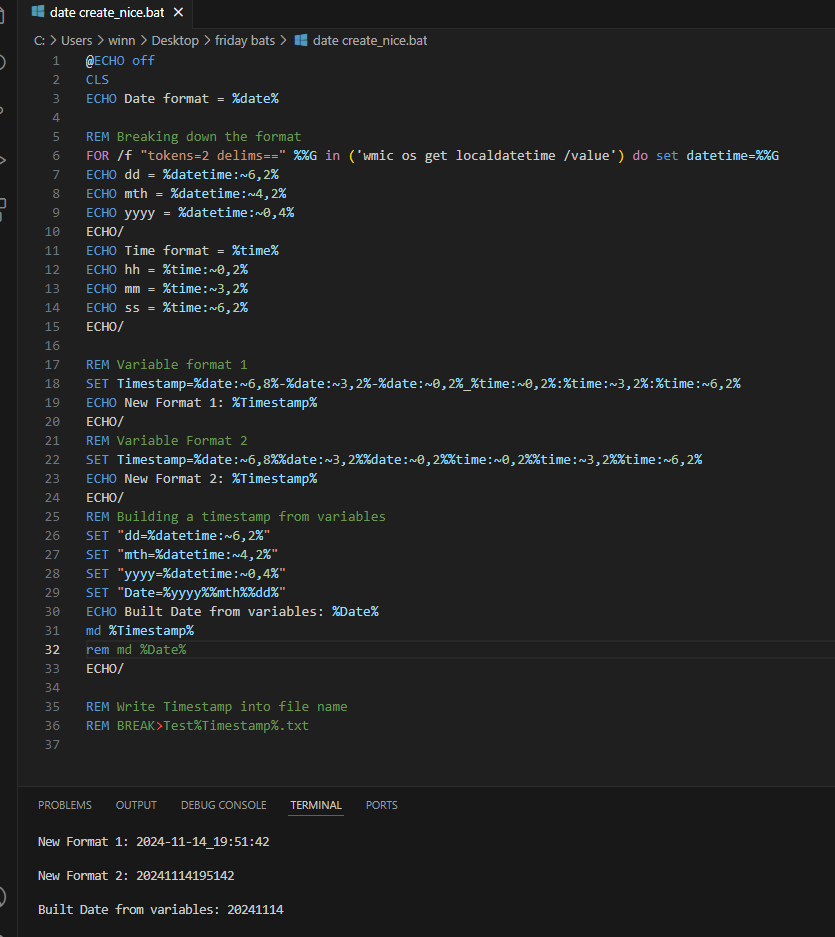
@ECHO off
CLS
ECHO Date format = %date%
REM Breaking down the format
FOR /f “tokens=2 delims==” %%G in (‘wmic os get localdatetime /value’) do set datetime=%%G
ECHO dd = %datetime:~6,2%
ECHO mth = %datetime:~4,2%
ECHO yyyy = %datetime:~0,4%
ECHO/
ECHO Time format = %time%
ECHO hh = %time:~0,2%
ECHO mm = %time:~3,2%
ECHO ss = %time:~6,2%
ECHO/
REM Variable format 1
SET Timestamp=%date:~6,8%-%date:~3,2%-%date:~0,2%_%time:~0,2%:%time:~3,2%:%time:~6,2%
ECHO New Format 1: %Timestamp%
ECHO/
REM Variable Format 2
SET Timestamp=%date:~6,8%%date:~3,2%%date:~0,2%%time:~0,2%%time:~3,2%%time:~6,2%
ECHO New Format 2: %Timestamp%
ECHO/
REM Building a timestamp from variables
SET “dd=%datetime:~6,2%”
SET “mth=%datetime:~4,2%”
SET “yyyy=%datetime:~0,4%”
SET “Date=%yyyy%%mth%%dd%”
ECHO Built Date from variables: %Date%
md %Timestamp%
rem md %Date%
ECHO/
REM Write Timestamp into file name
REM BREAK>Test%Timestamp%.txt
